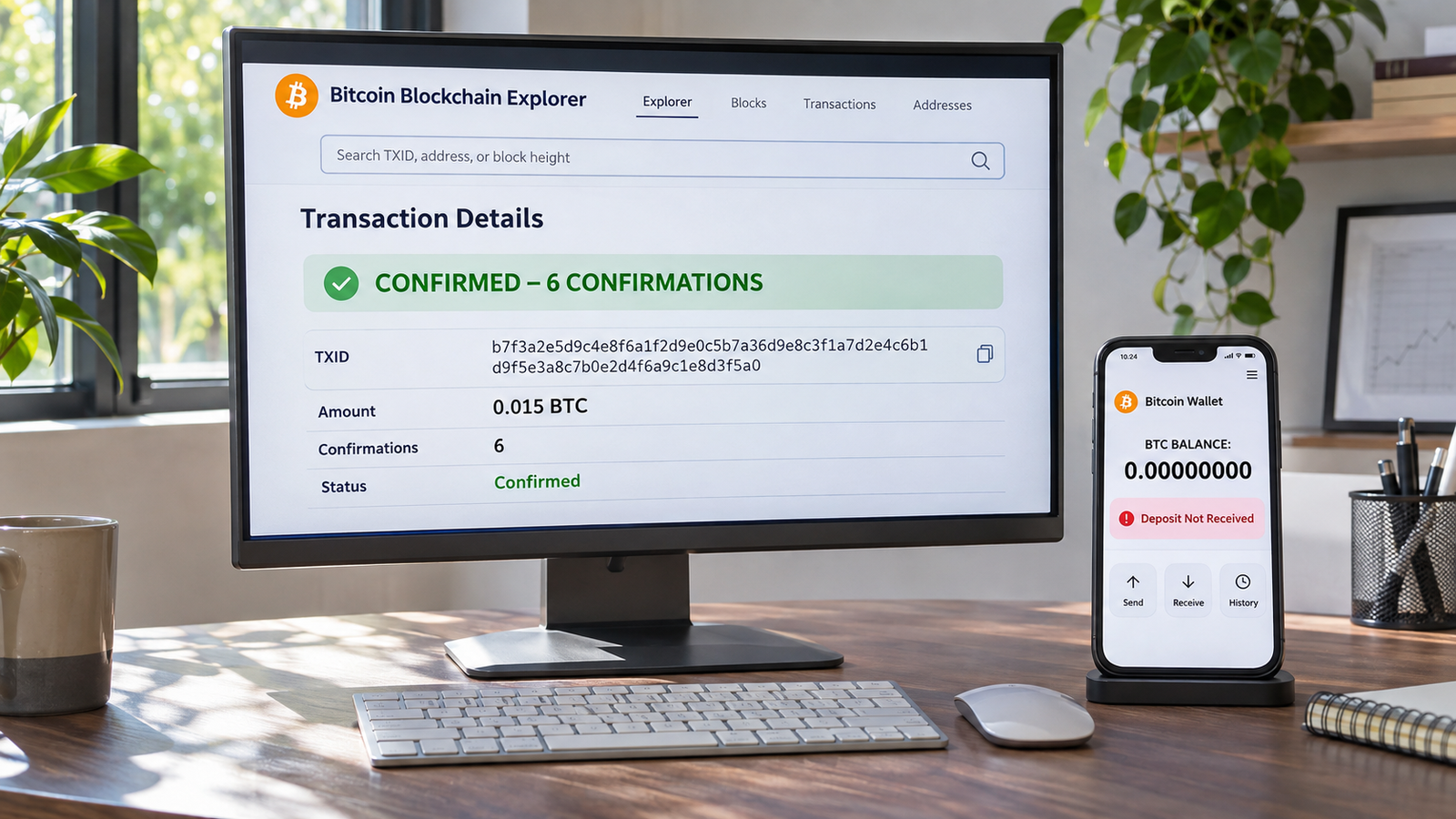
Your Bitcoin transaction shows six confirmations on a blockchain explorer, but the receiving wallet still displays zero BTC. Or perhaps an exchange withdrawal says “Completed,” yet the destination account hasn’t credited the deposit.
The distinction matters: blockchain confirmation and wallet balance updates are separate processes.
A confirmed Bitcoin transaction means the network has included it in a valid block. It doesn’t guarantee that an exchange has finished processing the deposit, that wallet software has synchronized correctly, or that the receiving address belongs to the intended recipient.
Before attempting another transfer, verify the transaction ID (TXID), receiving address, amount, and confirmation count.
In many cases, the problem is a display delay or an exchange processing requirement rather than missing Bitcoin.
Why Is My Bitcoin Transaction Confirmed but Not Received?
There are several reasons a confirmed BTC transaction may not appear in the expected balance.
The most common involve additional confirmation requirements, wallet synchronization problems, incorrect addresses, or exchange deposit processing.
Bitcoin Transaction Confirmed but Missing: Common Causes
| Problem | What It Means | Recommended Action |
|---|---|---|
| Insufficient confirmations | Exchange requires more blocks | Check deposit confirmation threshold |
| Wallet not synchronized | App hasn’t updated blockchain data | Refresh or reconnect wallet |
| Incorrect receiving address | BTC went to a different destination | Verify complete transaction output |
| Exchange processing delay | Deposit hasn’t been internally credited | Check deposit history and contact support |
| Wrong Bitcoin network | BTC representation or payment layer differs | Verify the network and asset |
| Balance display error | Wallet interface shows outdated data | Check another trusted interface |
| Transaction sent to change address | Funds returned to a sender-controlled output | Inspect all transaction outputs |
| Transaction already spent | Received BTC was subsequently transferred | Inspect output spending history |
The first step is establishing exactly what happened on the blockchain.
Step 1: Find Your Bitcoin Transaction ID (TXID)
Every confirmed Bitcoin transaction has a unique transaction identifier.
For a standard Bitcoin transaction, the TXID is displayed as a 64-character hexadecimal string.
You can normally find it in the sending wallet’s transaction history.
If the transfer originated from a cryptocurrency exchange, open the withdrawal record and look for a field labeled Transaction ID, TXID, Transaction Hash, or Blockchain Explorer.
Copy the entire identifier.
A shortened TXID is not sufficient for reliable transaction verification.
If the exchange marks a withdrawal as completed but provides no TXID, contact its official support team and request the blockchain transaction reference.
Do not send another payment simply because the first transfer hasn’t appeared.
Step 2: Check the Transaction on a Bitcoin Explorer
A blockchain explorer allows anyone to inspect Bitcoin transactions without accessing the associated private keys.
Two commonly used explorers are:
- mempool.space
- blockstream.info
Open the explorer and make sure Bitcoin Mainnet is selected.
Paste your complete TXID into the search field.
The transaction page should display the confirmation status, block information, transaction inputs, outputs, and fees.
What to Check on a Bitcoin Explorer
| Field | What to Verify |
|---|---|
| Transaction ID | Matches the original TXID |
| Status | Confirmed or unconfirmed |
| Confirmations | Number of blocks confirming the transaction |
| Block height | Block containing the transaction |
| Recipient output | Correct destination address |
| Output amount | Expected BTC payment |
| Transaction fee | Amount paid to miners |
If the explorer confirms the payment, the transaction exists in Bitcoin’s blockchain history.
However, finding a confirmed TXID alone isn’t enough.
You must verify that the intended recipient received the correct output.
Step 3: Verify the Receiving Bitcoin Address
One of the most important checks is comparing the transaction’s destination address with the address supplied by the receiving wallet or exchange.
Bitcoin addresses can begin with 1, 3, or bc1, depending on their format.
Modern wallets often shorten addresses when displaying transaction history.
That creates a risk of overlooking differences in the middle characters.
Compare the entire destination address, not just its beginning and ending.
Example: Confirmed BTC Transfer
Assume you sent 0.015 BTC to a receiving wallet.
| Transaction Detail | Value |
|---|---|
| Amount intended | 0.015 BTC |
| Blockchain status | Confirmed |
| Confirmations | 6 |
| Expected receiving output | 0.015 BTC |
| Output belongs to recipient | Must be verified |
If the correct address received 0.015 BTC, the blockchain transfer has succeeded.
If the output belongs to another address, the transaction may have been sent to the wrong recipient.
Bitcoin transactions generally cannot be reversed after confirmation.
Only someone controlling the receiving address can authorize a refund or another transfer.
Step 4: Check How Many Confirmations the Exchange Requires
A Bitcoin transaction receives its first confirmation when it is included in a valid block.
Each subsequent block adds another confirmation.
Bitcoin targets approximately one block every 10 minutes, although actual intervals vary.
Different services use different confirmation requirements before crediting deposits.
Bitcoin Confirmation Times
| Confirmations | Approximate Time at Target Block Rate |
|---|---|
| 1 | 10 minutes |
| 2 | 20 minutes |
| 3 | 30 minutes |
| 6 | 60 minutes |
| 12 | 120 minutes |
These are illustrative block intervals, not guaranteed processing times. Actual arrival times depend on block discovery and when the transaction first receives confirmation.
An exchange requiring three confirmations won’t necessarily credit a payment after the first block.
Coinbase Exchange, for example, has published a two-confirmation requirement for BTC deposits, although requirements can change by platform and account service.
Always check the receiving exchange’s current deposit rules.
If the required confirmation threshold has already been met, the next step is investigating the exchange’s internal processing status.
Step 5: Why a Confirmed Bitcoin Deposit Isn’t Showing on an Exchange
A centralized exchange maintains its own internal customer balance system.
The Bitcoin blockchain records transactions between addresses, but it doesn’t automatically update the balance displayed in a particular exchange account.
That update depends on the exchange detecting the payment, matching it to the appropriate customer, and completing required processing.
Blockchain Confirmation vs Exchange Credit
| Stage | Bitcoin Network | Exchange Account |
|---|---|---|
| Transaction broadcast | Unconfirmed | Deposit may be pending |
| First confirmation | Included in block | May still be pending |
| Required confirmations reached | Confirmed | Eligible for crediting |
| Internal processing completed | No additional blockchain action required | Deposit credited |
| Compliance or account restriction | Blockchain unaffected | Credit or access may be delayed |
A confirmed transaction may remain uncredited because of temporary node synchronization issues, system maintenance, account verification requirements, or an internal review.
If the TXID, receiving address, network, and confirmations are correct, check the exchange’s deposit history.
Look for Pending, Processing, Under Review, or Completed statuses.
If the deposit remains missing, submit a support request with the transaction details.
Step 6: Bitcoin Confirmed but Not Showing in Your Wallet
Self-custody wallets sometimes fail to display a recently confirmed transaction.
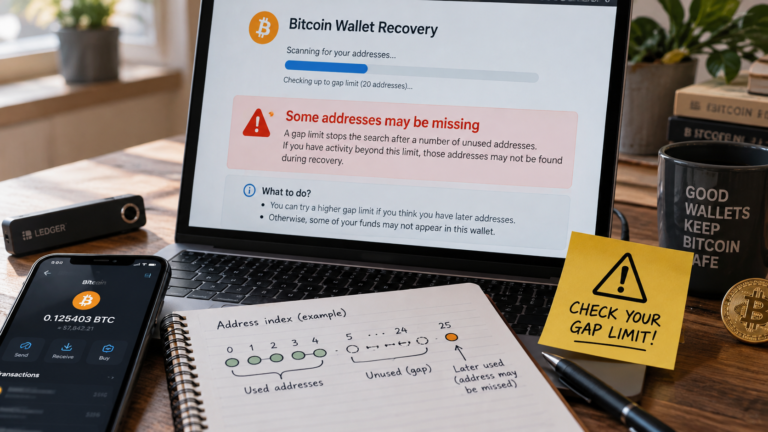
This can happen because the application hasn’t synchronized, the wallet is connected to an outdated server, or its transaction history needs to be refreshed.
First, close and reopen the wallet.
Check your internet connection and install an official software update if necessary.
If the wallet supports connecting to another trusted Bitcoin server, verify that the server is synchronized.
For Bitcoin Core, review the node’s synchronization status and wallet transaction history.
A wallet rescan may help discover transactions associated with wallet-controlled addresses.
However, rescan procedures can take time and should be performed using the wallet’s official instructions.
Do not reset your wallet or enter your recovery phrase into an unknown website to force a balance refresh.
Wallet Balance vs Blockchain Balance
A Bitcoin wallet can control multiple addresses.
Some receive payments, while others hold change outputs created when spending existing Bitcoin.
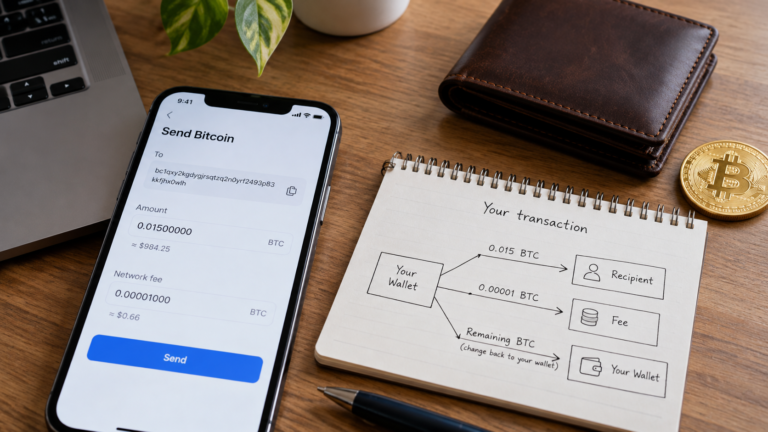
For example, a wallet spending a 0.05 BTC output might send 0.01 BTC to a recipient and return approximately 0.0399 BTC to a change address after a 0.0001 BTC mining fee.
If you inspect only the original address, the balance may appear lower or even zero.
That doesn’t mean the remaining Bitcoin disappeared.
The wallet’s total balance depends on all unspent transaction outputs it controls.
Step 7: Check Whether the BTC Was Already Spent
A transaction can be successfully received and later spent.
A block explorer may show that an address received Bitcoin, but its current balance is zero.
To investigate, inspect the relevant transaction output and whether it has subsequently been spent.
If it has, follow the spending transaction.
A subsequent transfer may be legitimate wallet activity, an internal exchange consolidation, or another transaction.
If the Bitcoin was spent from your self-custody address without your authorization, treat it as a possible security incident.
Secure any remaining assets and investigate the wallet’s private-key security.
Do not assume that every movement from an exchange-controlled deposit address represents theft. Exchanges routinely move deposits into consolidated custody wallets.
Step 8: Check for Wrong-Network Transfers
Bitcoin exists on its native blockchain, but other networks support wrapped or bridged representations of BTC.
Examples include Wrapped Bitcoin (WBTC) on Ethereum and other tokenized BTC assets.
These aren’t identical to native Bitcoin transfers.
A destination expecting native BTC cannot automatically credit an Ethereum token deposit.
The same distinction applies to the Lightning Network, which uses payment channels rather than ordinary on-chain transfers for individual Lightning payments.
If the sender used a different asset or network than the recipient expected, normal Bitcoin Mainnet confirmation checks may not identify the payment.
Verify the exact asset and network in the original withdrawal record.
Recovery may require specialized action from the receiving service and may not be possible.
Bitcoin Transaction Confirmed but Missing: Troubleshooting Checklist
Use the following sequence before contacting support.
| Step | Verification |
|---|---|
| 1 | Obtain the complete TXID |
| 2 | Search it on a Bitcoin Mainnet explorer |
| 3 | Confirm the transaction is included in a block |
| 4 | Check the number of confirmations |
| 5 | Compare the full receiving address |
| 6 | Verify the amount of the receiving output |
| 7 | Check whether that output has been spent |
| 8 | Refresh the receiving wallet or deposit history |
| 9 | Check account restrictions and service notices |
| 10 | Contact official support if unresolved |
This approach prevents unnecessary repeat transactions and separates blockchain problems from wallet or exchange issues.
What Information Should You Send to Exchange Support?
If the transaction is confirmed and the receiving exchange hasn’t credited it after its stated processing period, contact support through the official website or application.
Include the following details:
- Transaction ID (TXID).
- Cryptocurrency and network.
- Exact BTC deposit amount.
- Destination deposit address.
- Number of confirmations.
- Approximate transaction time.
- Screenshot of the blockchain explorer showing the relevant payment.
A TXID and public Bitcoin address can be shared for legitimate troubleshooting, although they reveal some transaction information.
Never provide your seed phrase, private keys, wallet password, or two-factor authentication codes.
A legitimate exchange support representative doesn’t need your recovery phrase to locate a blockchain deposit.
Can You Reverse a Confirmed Bitcoin Transaction?
Normally, no.
Once a Bitcoin transaction is confirmed, the receiving output becomes part of the accepted blockchain history.
Additional confirmations make reversing that history increasingly difficult.
If you sent BTC to the wrong address, Bitcoin has no central authority that can undo the payment.
An exchange may be able to assist if it controls the destination address, but recovery depends on its systems and policies.
If the address belongs to an unknown third party, recovering the funds is generally unlikely.
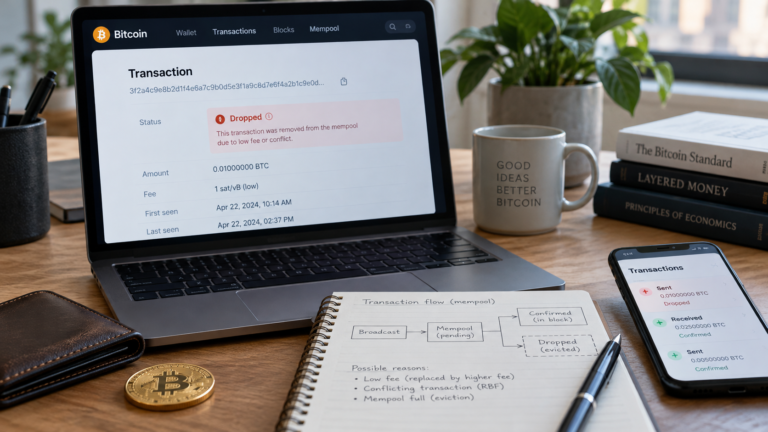
Replace-by-Fee (RBF) and Child-Pays-for-Parent (CPFP) are techniques associated with accelerating unconfirmed transactions.
They do not provide a method for canceling a transaction that is already confirmed.
How Long Should You Wait Before Contacting Support?
There is no universal waiting period.
For a self-custody wallet, a confirmed payment to a wallet-controlled address should become visible once the relevant wallet software is synchronized.
For an exchange, the waiting period depends on the required confirmations and internal deposit-processing rules.
If the required confirmations have been reached but the deposit hasn’t appeared, review official status notices and any instructions displayed in your account.
Contact support when the platform’s stated timeframe has passed or when there is evidence of an incorrect crediting process.
A prolonged delay doesn’t automatically mean the Bitcoin is lost.
The blockchain transaction history remains available for verification.
Frequently Asked Questions
Why is my Bitcoin transaction confirmed but not received?
Common causes include insufficient confirmations for an exchange, internal deposit-processing delays, wallet synchronization problems, incorrect destination addresses, and balance display issues.
Can a confirmed Bitcoin transaction disappear?
A confirmed transaction normally remains in the blockchain’s accepted history. Rare blockchain reorganizations can affect recently confirmed blocks, but additional confirmations reduce that risk.
How do I check whether Bitcoin was received?
Search the TXID on a Bitcoin blockchain explorer and verify that the intended receiving address has the correct transaction output.
Why does my wallet show zero BTC after receiving Bitcoin?
Your wallet may be out of sync, the funds may belong to another wallet account, or the received output may already have been spent. Check the full wallet history and blockchain outputs.
How many confirmations does Bitcoin need?
One confirmation means the transaction has been included in a block. Exchanges and other services determine their own acceptance thresholds, which may require several confirmations.
Can Bitcoin be confirmed but still pending on Coinbase?
Yes. Coinbase may continue displaying a deposit as pending until its required confirmations and internal processing requirements have been satisfied.
Can I speed up a Bitcoin transaction after confirmation?
No. RBF and CPFP are designed for unconfirmed transactions. Once a transaction is confirmed, there is no need to accelerate that transaction’s inclusion in a block.
Can I recover Bitcoin sent to the wrong address?
Only under limited circumstances, generally when someone controlling the destination address agrees or is able to return the funds. Confirmed Bitcoin transactions cannot ordinarily be reversed by the sender.
Is it safe to enter my TXID into a block explorer?
Yes, a TXID is public blockchain information. Use a trusted explorer and never enter your seed phrase, private key, or wallet password.