Your Ethereum wallet might be connected to dozens of decentralized applications, even if you haven’t used them for months. Some of these applications may still have permission to spend your tokens.
These permissions, known as token approvals, are necessary for many DeFi activities. However, leaving them active indefinitely can expose your wallet to unnecessary risks, especially when a smart contract is malicious or becomes compromised.
The good news is that you can check and revoke token approvals without moving your crypto to another wallet.
This guide explains how Ethereum token approvals work, how to identify risky permissions, and how to remove token allowances using tools such as Revoke.cash and Etherscan.
What Are Ethereum Token Approvals?
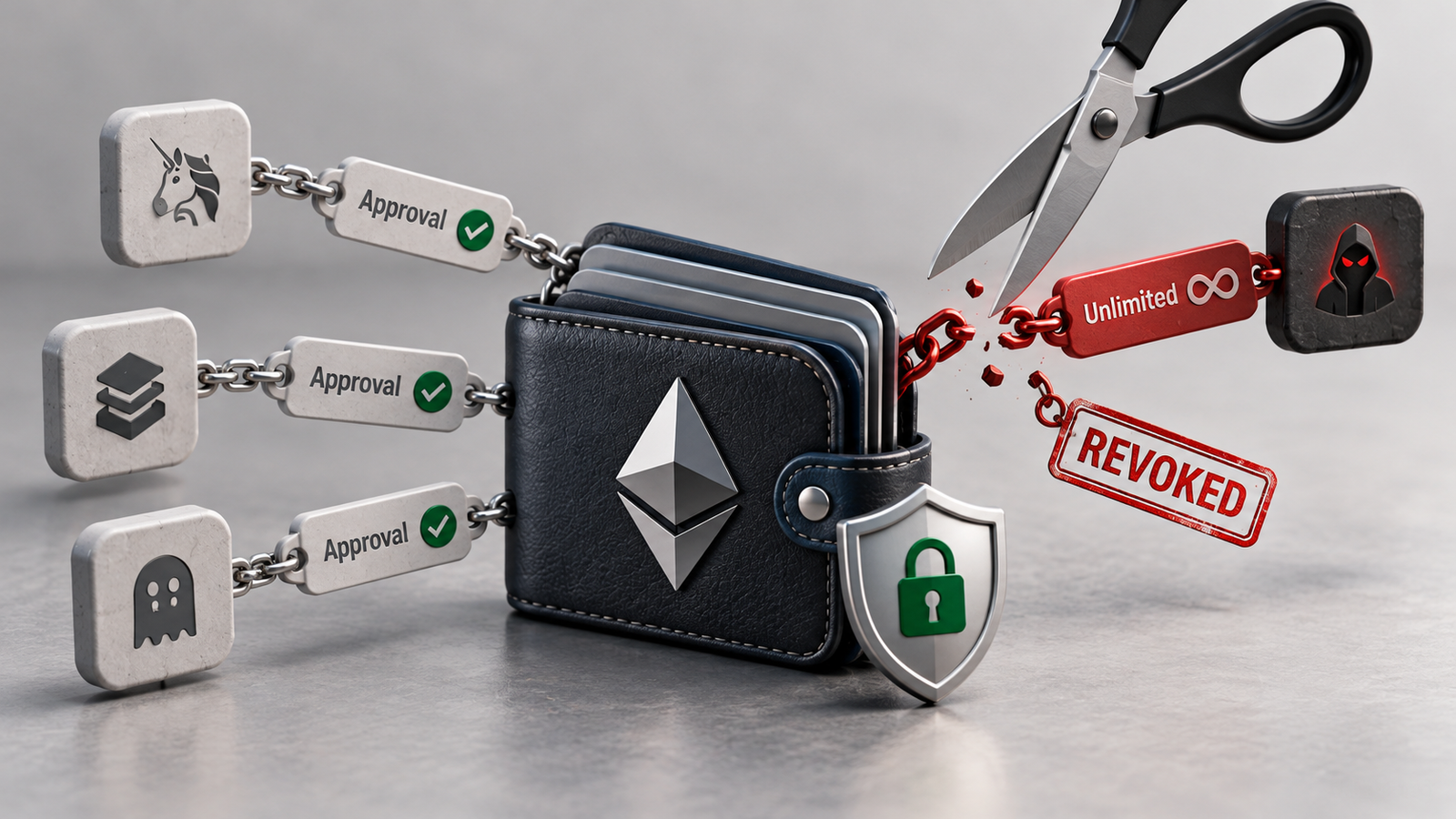
Ethereum token approvals are permissions that allow a designated address or smart contract to transfer certain tokens from your wallet.
They are commonly used when interacting with decentralized exchanges, lending protocols, NFT marketplaces, and other Web3 applications.
For example, imagine you want to swap 200 USDC for ETH on a decentralized exchange.
Before the exchange’s smart contract can spend your USDC, the token contract may require you to approve a spending allowance.
The approval typically specifies three elements:
- Token: the asset being authorized, such as USDC.
- Spender: the address permitted to transfer the tokens.
- Allowance: the maximum amount the spender is authorized to use.
For standard ERC-20 tokens, this permission is recorded within the token’s smart contract using the approve() function.
The spender can then use transferFrom() to move tokens within the approved limit, subject to the token contract’s rules.
An approval does not automatically transfer funds. It creates authorization that may be used later.
What Is an Unlimited Token Approval?
An unlimited token approval gives a spender an extremely large allowance, often represented by the maximum possible 256-bit unsigned integer.
Instead of approving just 200 USDC for one swap, a user might authorize a contract to spend effectively any amount of that token held by the wallet.
This approach is convenient because repeated transactions don’t require new approvals.
However, the authorization may remain active long after the original interaction.
Limited vs Unlimited Approvals: Risk Comparison
| Feature | Limited Approval | Unlimited Approval |
|---|---|---|
| Spending authorization | Specific token amount | Effectively unlimited |
| Repeated approvals | May be necessary | Often unnecessary |
| Potential exposure | Capped by allowance | Can include entire token balance |
| Future deposits exposed | Only within remaining allowance | Potentially yes |
| Convenience | Moderate | High |
| Risk if spender is compromised | Limited by remaining allowance | Potentially much greater |
The main concern is that a malicious or compromised spender could transfer approved tokens without requesting another signature from the wallet owner.
Even a legitimate protocol may become risky if its contracts are compromised or upgraded maliciously.
How Much Crypto Can an Unlimited Approval Put at Risk?
Unlimited approvals are particularly dangerous because the authorization can extend beyond the balance held when approval was first granted.
Consider a hypothetical wallet holding 5,000 USDC.
| Scenario | Wallet Balance | Remaining Allowance | Maximum Potential Token Exposure |
|---|---|---|---|
| Limited approval | 5,000 USDC | 100 USDC | 100 USDC |
| Larger approval | 5,000 USDC | 2,000 USDC | 2,000 USDC |
| Unlimited approval | 5,000 USDC | Effectively unlimited | 5,000 USDC |
| Unlimited approval after additional deposit | 15,000 USDC | Effectively unlimited | 15,000 USDC |
The maximum amount a spender can normally transfer is limited by both the wallet’s available token balance and the remaining allowance.
In this example, a wallet with an unlimited approval could expose its entire current USDC balance to the authorized spender.
More importantly, later deposits could also be exposed while the permission remains active.
These figures are illustrative risk scenarios, not measured statistics of actual wallet losses.
How to Check Wallet Token Approvals
The first step in protecting an existing Ethereum wallet is identifying its active permissions.
You can inspect approvals through a block explorer or a dedicated permission management tool.
Method 1: Check Approvals on Revoke.cash
Revoke.cash is a widely used service for viewing and managing smart contract approvals across Ethereum and other supported networks.
To check your wallet:
- Visit Revoke.cash.
- Enter your public wallet address or connect your wallet.
- Select Ethereum or another supported network.
- Review the displayed token approvals.
- Examine each spender address and approved amount.
- Identify unused, unfamiliar, or unlimited permissions.
You can inspect an address without revealing your recovery phrase or private keys.
Pay particular attention to older approvals from applications you no longer recognize.
A large allowance alone doesn’t prove that a contract is malicious, but it increases the potential impact if that spender is compromised.
Method 2: Check Approvals on Etherscan
Etherscan provides an alternative way to inspect Ethereum smart contract permissions.
Open the Etherscan Token Approval Checker and enter your Ethereum wallet address.
The tool can display approvals associated with ERC-20, ERC-721, and ERC-1155 token standards.
Review the spender addresses, authorized assets, and approval amounts.
Some approvals may be associated with legitimate decentralized applications, while others may originate from contracts you interacted with only once.
If an approval looks suspicious, verify its contract address and transaction history before taking action.
Keep in mind that approval scanners may not detect every nonstandard permission or off-chain signature authorization.
How to Revoke Token Approvals Using Revoke.cash
Once you’ve identified an unnecessary allowance, you can remove it by sending an on-chain transaction.
For a standard ERC-20 token, revocation typically sets the spender’s allowance to zero.
Step-by-Step Guide
- Open the official Revoke.cash website.
- Connect the wallet containing the approval you want to remove.
- Select the correct blockchain network.
- Find the token and spender address.
- Click the available revoke action.
- Carefully review the transaction details in your wallet.
- Confirm the transaction and pay the network fee.
- Wait for blockchain confirmation.
- Refresh the approval checker to verify the permission was removed.
For standard ERC-20 approvals, the underlying operation generally calls:
approve(spender, 0)
For NFT collection-wide permissions, revocation typically changes setApprovalForAll(operator, true) to setApprovalForAll(operator, false).
You should confirm that the transaction actually reduces or removes the intended permission before signing it.
Never approve a new unlimited allowance simply because a website claims it is required to revoke an existing one.
How to Revoke Ethereum Permissions Through Etherscan
Etherscan also allows users to revoke certain token approvals directly through its approval management interface.
The process is similar:
- Open Etherscan’s Token Approval Checker.
- Search for your wallet address.
- Select the relevant token standard.
- Locate the spender permission.
- Choose the revoke option.
- Connect the wallet through the supported interface.
- Review and confirm the transaction.
- Verify the updated permission after confirmation.
Both approaches require network gas fees because changing an on-chain allowance modifies blockchain state.
You can usually inspect approvals without paying gas. The fee is required when you submit the revocation transaction.
Which Token Approvals Should You Revoke First?
Not every active approval is automatically dangerous.
Some applications need ongoing permissions for swaps, deposits, trading, or other legitimate activities.
However, the following categories deserve closer attention.
Token Approval Risk Assessment
| Approval Type | Potential Risk | Suggested Action |
|---|---|---|
| Unknown spender with unlimited allowance | High | Prioritize verification and revocation |
| Contract associated with a suspected scam | High | Revoke promptly if safe |
| Old, unused DeFi application | Moderate to high | Remove unnecessary approval |
| Trusted protocol with unlimited allowance | Ongoing exposure | Consider reducing or revoking |
| Active application with limited allowance | Lower, but not risk-free | Review whether still needed |
| NFT collection-wide approval | Potential exposure to multiple NFTs | Check operator and revoke if unused |
This table provides a qualitative risk assessment, not a numerical prediction of theft.
The security of the authorized spender matters as much as the size of the allowance.
A limited approval to a malicious contract can still be dangerous, while a large approval to a well-maintained protocol may pose a different level of risk.
Does Revoking Token Approvals Protect Your Wallet From Hacks?
Revoking approvals can significantly reduce one type of wallet risk: unauthorized token transfers through previously granted allowances.
However, it is not a complete wallet security solution.
Removing token allowances can help protect against:
- Malicious contracts with existing spending permissions.
- Compromised spender contracts.
- Forgotten allowances from abandoned applications.
- Future exploitation of unnecessarily broad token permissions.
- Unauthorized NFT transfers through active operator approvals.
But revocation cannot reverse completed transactions or recover stolen assets.
It also does not protect a wallet if someone already possesses its private key or recovery phrase.
Token Approvals vs Wallet Connections
Disconnecting a decentralized application from your wallet is not the same as revoking token approvals.
A wallet connection allows an application to request information or actions through your wallet interface.
A token approval is recorded in the token contract and can remain active even after you disconnect from the website.
To remove on-chain spending authorization, the allowance itself must be revoked.
What About Permit Signatures and NFT Approvals?
Not every Ethereum permission works like a conventional ERC-20 approval transaction.
Some tokens support signature-based authorization mechanisms, such as EIP-2612 permits. Other applications use Permit2 or similar systems.
These mechanisms can authorize spending through signed messages rather than a traditional approval flow.
Some signed permissions include deadlines, nonces, or additional restrictions.
Importantly, revoking a standard ERC-20 allowance may not invalidate every previously signed authorization. Certain signatures require separate cancellation or nonce-management mechanisms, and some may remain usable until they expire.
NFT permissions also differ from fungible-token allowances.
For ERC-721 and ERC-1155 assets, an operator may receive permission to manage individual tokens or entire collections.
Always check which type of permission you are revoking and whether your chosen tool supports it.
What Happens After You Revoke an Approval?
Revoking an approval doesn’t normally transfer your tokens or close existing DeFi positions.
For example, if you deposited assets into a lending protocol, removing an unused wallet allowance generally doesn’t withdraw those deposited assets.
However, future interactions may require you to approve the token again.
Similarly, revoking NFT marketplace operator permissions may interfere with active listings or future marketplace transactions.
After revocation, verify that the transaction has confirmed and the allowance is zero or the relevant NFT permission is disabled.
What If Your Wallet Has Already Been Compromised?
If you suspect someone has access to your private key or recovery phrase, revoking approvals alone is insufficient.
An attacker with signing authority may be able to create new approvals or directly transfer assets.
In that situation, prioritize securing any remaining funds with a new wallet created using uncompromised credentials.
If only a malicious token approval is suspected, revocation may stop future allowance-based transfers once confirmed, but transactions already submitted by an attacker may compete with your revocation.
Do not interact with suspicious recovery services or sign unfamiliar transactions promising to restore stolen crypto.
Frequently Asked Questions
Is it safe to revoke token approvals?
Yes, revoking unnecessary permissions is generally safe when performed through trusted tools and carefully verified transactions. It removes authorization rather than transferring tokens to another wallet.
Does revoking an approval cost gas?
Yes. Standard on-chain revocations require a transaction fee. Simply viewing approvals is usually free.
Can I revoke all Ethereum token approvals?
You can revoke supported permissions individually, and some tools offer workflows to revoke multiple approvals. However, each required on-chain change must be executed, and applications may need new permissions afterward.
Does removing token allowance affect staking?
Usually, revoking a wallet allowance doesn’t remove already deposited or staked tokens. However, you may need to approve spending again for future deposits or certain interactions.
Can token approvals expire automatically?
Ordinary ERC-20 allowances typically persist until changed or consumed. Some signature-based or specially designed permission systems support expiration times.
How often should I check Ethereum wallet permissions?
Review them after interacting with unfamiliar applications, when a protocol reports a security incident, and periodically as part of routine wallet maintenance.
Final Thoughts
Ethereum token approvals are essential for decentralized applications, but forgotten or unlimited permissions can leave existing wallets exposed to unnecessary risks.
The safest approach is to regularly check wallet token approvals, identify contracts you no longer use, and remove token allowances that provide unnecessary spending authority.
Tools such as Revoke.cash and Etherscan make the process accessible without requiring advanced blockchain knowledge.
Remember that revoking permissions is only one part of wallet security. Protecting recovery credentials, verifying transaction details, and avoiding suspicious smart contracts remain equally important.
A few minutes spent reviewing old allowances can prevent a forgotten permission from becoming a costly security problem.