A crypto website can look identical to a legitimate exchange, wallet application, or DeFi protocol and still be designed to steal your funds.
Fraudsters copy logos, trading interfaces, wallet connection buttons, and customer support pages. Some fake crypto websites even appear in sponsored search results, making them difficult to distinguish from genuine platforms at first glance.
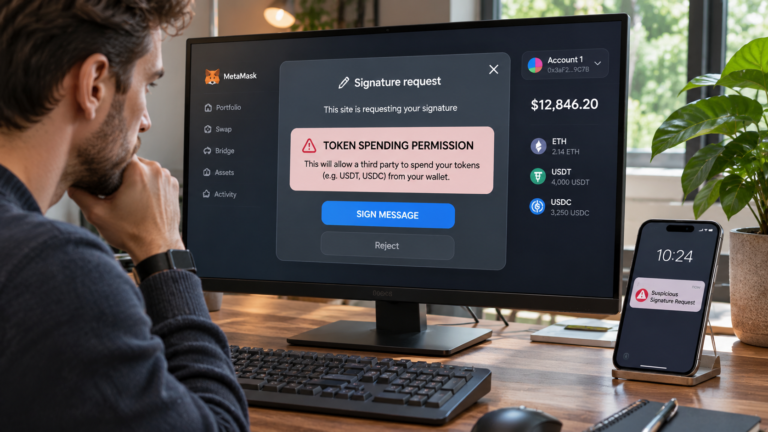
The danger doesn’t always begin with entering a password. A malicious website may ask users to sign a message or approve a smart contract, potentially giving an attacker permission to move tokens.
Before connecting your wallet, the most effective protection is independent verification of the website’s address and the actions it requests.
What Are Fake Crypto Websites?
Fake crypto websites are fraudulent pages designed to impersonate legitimate cryptocurrency services.
Their objectives vary. Some steal exchange login credentials, while others collect wallet recovery phrases or trick users into authorizing transactions.
Modern crypto phishing websites can imitate familiar platforms with convincing layouts, correct branding, and functional-looking dashboards.
Common Crypto Phishing Websites
| Fake Website Type | Typical Trap | Main Risk |
|---|---|---|
| Fake crypto exchange | Login or account verification | Credential theft |
| Fake wallet website | Import wallet or recovery form | Seed phrase theft |
| Fake DeFi platform | Connect wallet and approve tokens | Wallet draining |
| Fake airdrop page | Claim free cryptocurrency | Malicious signature |
| Fake NFT marketplace | Approve collection access | NFT theft |
| Fake support portal | Verify ownership or recover funds | Wallet compromise |
| Fake staking website | Deposit funds for rewards | Direct asset theft |
A website doesn’t need to contain malware to be dangerous. Sometimes the attack succeeds simply because a user willingly signs a malicious authorization.
1. Check the Domain Name for Subtle Changes
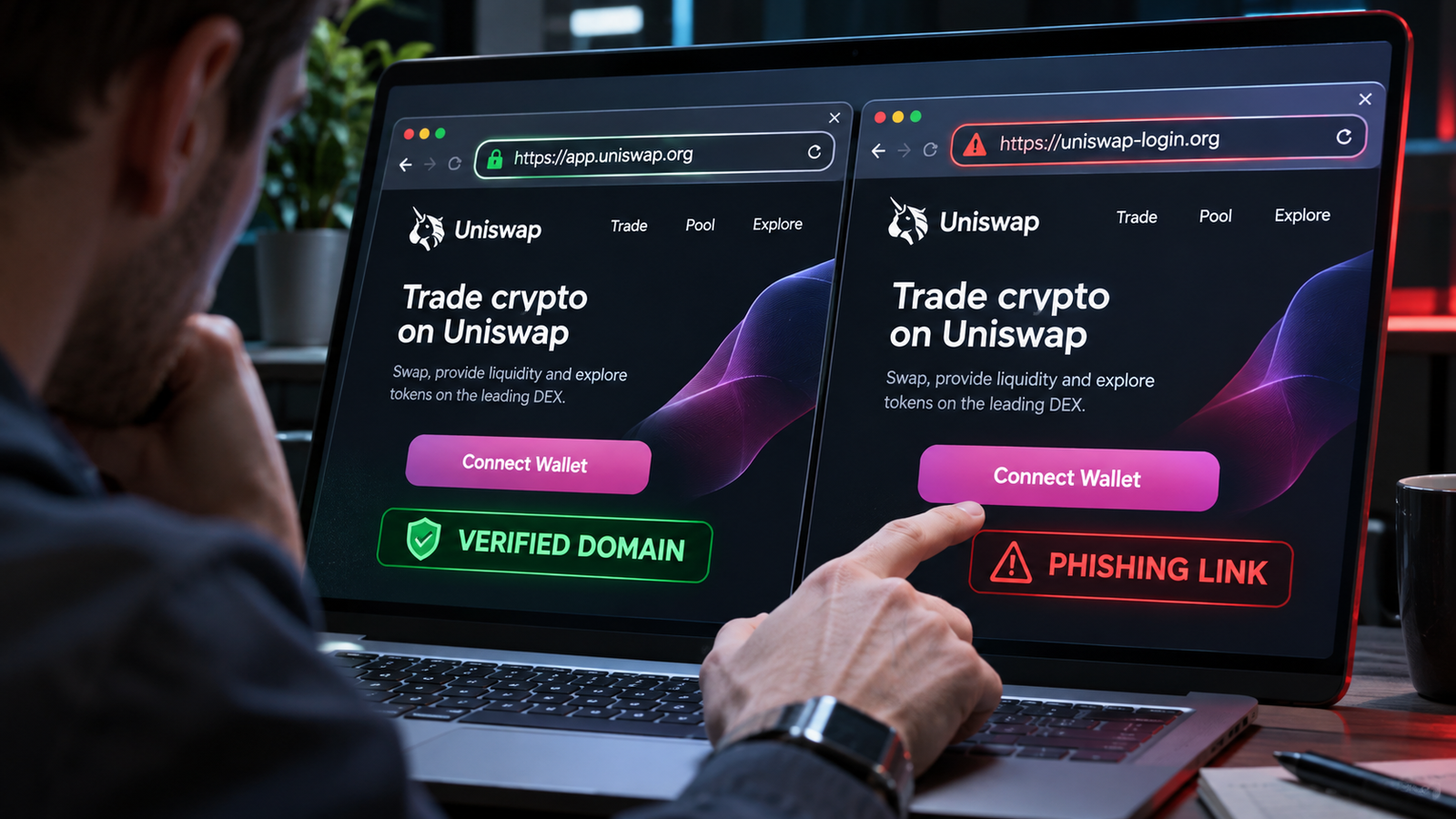
Domain impersonation is one of the most common cryptocurrency phishing techniques.
Attackers register addresses that resemble legitimate project websites.
They may replace letters, add misleading words, use unfamiliar domain extensions, or create deceptive subdomains.
Suspicious Crypto URL Examples
| URL Pattern | What to Notice |
|---|---|
wallet.example.com | Subdomain of example.com |
wallet-example.com | Different registered domain |
wallet.example-login.com | Controlled by example-login.com |
example.com.verify-wallet.net | Actual domain is verify-wallet.net |
examp1e.com | Number 1 replaces letter l |
exampIe.com | Capital I resembles lowercase l |
These are illustrative domain patterns, not identified malicious websites.
The most important detail is identifying the actual registered domain.
For example, support.exchange.example.com belongs under example.com, while exchange.example.com.security-check.net belongs under security-check.net.
A familiar brand name appearing somewhere in a URL does not establish authenticity.
Watch for Unicode Lookalikes
Phishing domains can use international characters resembling ordinary Latin letters.
Two website addresses may appear nearly identical while containing different underlying characters.
When uncertain, compare the complete domain with a previously verified address from the project’s official documentation.
2. Don’t Trust Sponsored Google Search Results
Searching for a cryptocurrency platform is convenient, but search rankings and advertisements are not proof that a website is legitimate.
Scammers can purchase sponsored placements that imitate exchanges, wallet providers, or decentralized applications.
The advertisement may display familiar branding while directing users to another domain.
How Search Ad Phishing Works
A typical attack follows this sequence:
- A user searches for a wallet or DeFi application.
- A sponsored result appears above ordinary search results.
- The advertisement imitates the official service.
- The user opens a counterfeit login or wallet connection page.
- The website requests credentials, a recovery phrase, or a dangerous signature.
Even organic results can be manipulated through SEO poisoning.
For frequently used crypto platforms, a safer approach is to save the independently verified official website as a browser bookmark.
Use that bookmark instead of repeatedly searching for the platform.
3. Understand What a Wallet Connection Actually Allows
Connecting a wallet is not the same as approving a transaction.
This distinction is essential because fake crypto websites often combine several permission requests.
Wallet Connection vs Signature vs Approval
| Wallet Action | Typical Purpose | Potential Risk |
|---|---|---|
| Connect Wallet | Share public address with a website | Privacy exposure and further phishing |
| Sign Message | Verify account ownership or authorize an action | Signature may grant sensitive permissions |
| Token Approval | Allow a contract to spend ERC-20 tokens | Unauthorized token transfers |
| NFT Approval | Allow an operator to transfer NFTs | NFT theft |
| Send Transaction | Transfer assets or interact with a contract | Direct asset loss |
A standard wallet connection usually reveals an address and allows the website to request further interactions. It doesn’t ordinarily grant permission to transfer funds.
The danger often appears in the next step.
An attacker may display a button labeled “Verify Wallet” that triggers a token approval or a signature granting spending authority.
Some phishing operations exploit permit-style signatures, including EIP-2612 or Permit2-related authorization flows.
These can be dangerous even when the wallet doesn’t display an ordinary ETH transfer.
Never assume a signature is harmless simply because it doesn’t require a gas fee.
4. Recognize Fake Wallet Login and Recovery Pages
Legitimate self-custody wallets use recovery phrases to restore access to accounts.
Scammers exploit this by creating fake wallet login screens that request 12- or 24-word seed phrases.
These pages may claim that verification is necessary because of unusual activity, a failed synchronization, or an account security upgrade.
Warning Signs of a Fake Crypto Wallet Website
- Requests your seed phrase to connect to a DeFi platform.
- Promises to synchronize or repair your wallet through a website.
- Requires private keys to receive an airdrop.
- Displays urgent warnings about expiring wallet access.
- Asks you to disable security protections.
- Claims customer support needs your recovery phrase.
A website asking for your recovery phrase should be treated as an immediate danger.
Wallet restoration should only occur through a verified wallet application in a recovery process you intentionally initiated.
Never send a seed phrase to support representatives, chatbots, or online verification forms.
5. Watch for QR-Code Crypto Phishing
QR codes are commonly used to share wallet addresses, open applications, and establish WalletConnect sessions.
They can also hide malicious destinations.
A printed or digital QR code may lead to a counterfeit website rather than the expected exchange or wallet interface.
Fraudsters may distribute QR codes through social media, fake promotional campaigns, posters, or impersonated customer support messages.
Common QR-Phishing Scenarios
| Scenario | Potential Danger |
|---|---|
| QR code promising an airdrop | Fake claim page |
| QR code for wallet verification | Malicious connection request |
| QR code for customer support | Credential or seed phrase theft |
| QR code on a payment notice | Attacker-controlled payment address |
| WalletConnect QR from unknown source | Connection to a malicious dApp |
A QR code is simply a way of encoding information. It does not verify the recipient or destination.
Before opening a QR-generated link, inspect its complete URL.
When using WalletConnect, verify the website’s identity and every subsequent wallet request.
For cryptocurrency payments, check the full destination address and intended network before approving the transfer.
6. Verify a Crypto Website Independently
A polished website design, a verified-looking badge, or an HTTPS connection cannot establish legitimacy on its own.
HTTPS encrypts browser communication, but scammers can obtain valid TLS certificates for fraudulent domains.
The padlock symbol doesn’t prove a business is trustworthy.
Seven Checks Before Connecting Your Wallet
| Check | What to Do |
|---|---|
| 1. Domain spelling | Compare the complete address character by character |
| 2. Official website | Navigate from independently verified documentation |
| 3. Search advertisements | Avoid treating sponsored placement as verification |
| 4. Browser warnings | Respect phishing and unsafe-site alerts |
| 5. Community announcements | Cross-check official, independently verified communication channels |
| 6. Wallet request | Inspect signature, contract, spender and token permissions |
| 7. Recovery phrase | Never disclose it to a website |
For additional verification, use Google’s Safe Browsing Site Status tool:
https://transparencyreport.google.com/safe-browsing/search
It can identify websites already classified as dangerous.
However, a clean result doesn’t guarantee safety. Newly created phishing domains may not yet be detected.
WHOIS and domain-registration information can offer additional clues, but the absence of public owner details isn’t proof of fraud.
The strongest approach combines independent domain verification with careful review of wallet requests.
7. Check Smart Contract Approvals Before Signing
A legitimate-looking website may interact with an unfamiliar smart contract.
Before signing, check whether the wallet displays a token allowance, contract address, or permission to transfer assets.
Example: Unlimited Token Approval
Suppose your wallet contains $10,000 worth of USDC.
A fake DeFi website requests an unlimited USDC allowance for an attacker-controlled contract.
If you approve it, the contract may gain permission to transfer eligible USDC from your address without needing a separate confirmation for each transfer.
This doesn’t mean the funds disappear immediately, but the authorization can expose them to subsequent theft.
Practical Approval Checklist
| Question | Safer Action |
|---|---|
| Do I recognize the contract? | Verify it independently |
| Is the spender address expected? | Compare against official documentation |
| Does the site need unlimited access? | Prefer limited allowances when possible |
| Is the signature readable? | Reject unexplained or unexpected requests |
| Does the action match my intention? | Cancel if the request differs |
| Did the wallet flag the transaction? | Stop and investigate |
Hardware wallets can protect private keys from being extracted, but they cannot prevent users from approving malicious transactions.
Always inspect the action shown on the trusted device where possible.
How to Check a Suspicious Crypto Link Without Connecting
If you receive an unexpected crypto link, there’s usually no reason to interact with it immediately.
Use the following process.
Step 1: Identify Where the Link Came From
Was it received through an unsolicited DM, email, sponsored advertisement, or Telegram message?
Unexpected messages offering free tokens or urgent wallet support deserve particular caution.
Step 2: Inspect the URL Without Opening It
Look for extra words, unusual characters, suspicious subdomains, and unexpected extensions.
Avoid clicking shortened links when the destination cannot be verified.
Step 3: Find the Official Website Separately
Use a previously trusted bookmark or independently verified project documentation.
Do not rely solely on links supplied by the suspicious message.
Step 4: Check the Website’s Reputation
Consult browser phishing protections and a reputable URL reputation service.
Remember that an absence of warnings isn’t a guarantee.
Step 5: Review Any Wallet Request
If the website is independently verified and you decide to use it, check what the wallet requests before signing.
If anything looks inconsistent, reject the request.
For an unfamiliar DeFi application, consider using a separate wallet with limited assets rather than connecting your primary holdings.
What to Do If You Connected to a Fake Crypto Website
The correct response depends on what information or permissions you provided.
Response by Exposure Type
| What Happened | Recommended Action |
|---|---|
| Only opened the website | Close it; avoid downloads and unexpected permissions |
| Connected public wallet address | Disconnect the site and review wallet activity |
| Signed an unfamiliar message | Investigate the signature and any resulting authorization |
| Approved token spending | Revoke suspicious allowances promptly |
| Entered exchange password | Change password through official site and review 2FA |
| Exposed seed phrase | Move remaining assets to a new independently created wallet |
| Signed malicious transaction | Inspect transactions, remaining assets and permissions |
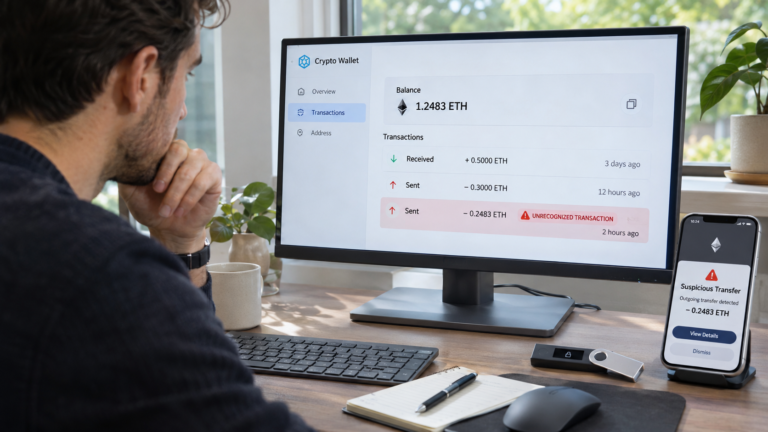
Disconnecting a wallet does not automatically revoke token approvals or invalidate previously issued signatures.
Use a reputable approval-management interface to inspect allowances on the relevant blockchain.
If your recovery phrase was disclosed, treat the wallet as compromised. Revoking approvals alone is insufficient because an attacker may control the keys.
Create a new wallet using verified software or hardware, and transfer remaining assets safely.
Also check other supported networks where the compromised keys were used.
Frequently Asked Questions
How can I tell if a crypto website is fake?
Verify the exact domain against independently trusted project documentation. Watch for lookalike addresses, suspicious advertisements, seed phrase requests, and unexpected wallet approvals.
Can a fake crypto website steal funds just by connecting?
Ordinary wallet connection doesn’t usually authorize transfers. However, the site may request malicious signatures or approvals afterward, and wallet connections can expose public account information.
Are crypto websites with HTTPS safe?
Not necessarily. HTTPS encrypts communication but doesn’t establish that a website or its operator is legitimate.
Can a QR code steal cryptocurrency?
A QR code can direct users to phishing websites, malicious connection requests, or attacker-controlled payment addresses. The harmful action usually occurs when the user follows the link or approves a request.
What should I do after signing a suspicious crypto transaction?
Inspect the transaction and associated approvals, revoke dangerous permissions where possible, and move remaining assets to a new wallet if the private keys or recovery phrase were compromised.
Can Google detect every crypto phishing website?
No. Safe Browsing identifies many known threats, but newly created or previously undetected malicious websites may not yet appear in its database.
Is a hardware wallet protection against phishing?
A hardware wallet helps protect private keys, but approving a malicious transaction or authorization can still result in asset loss.