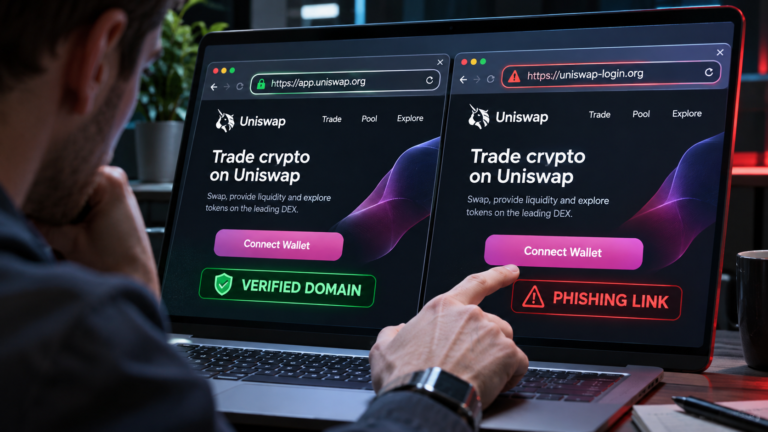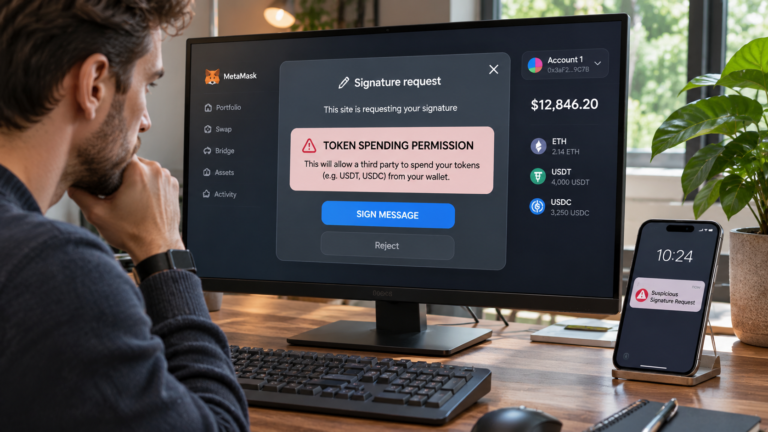
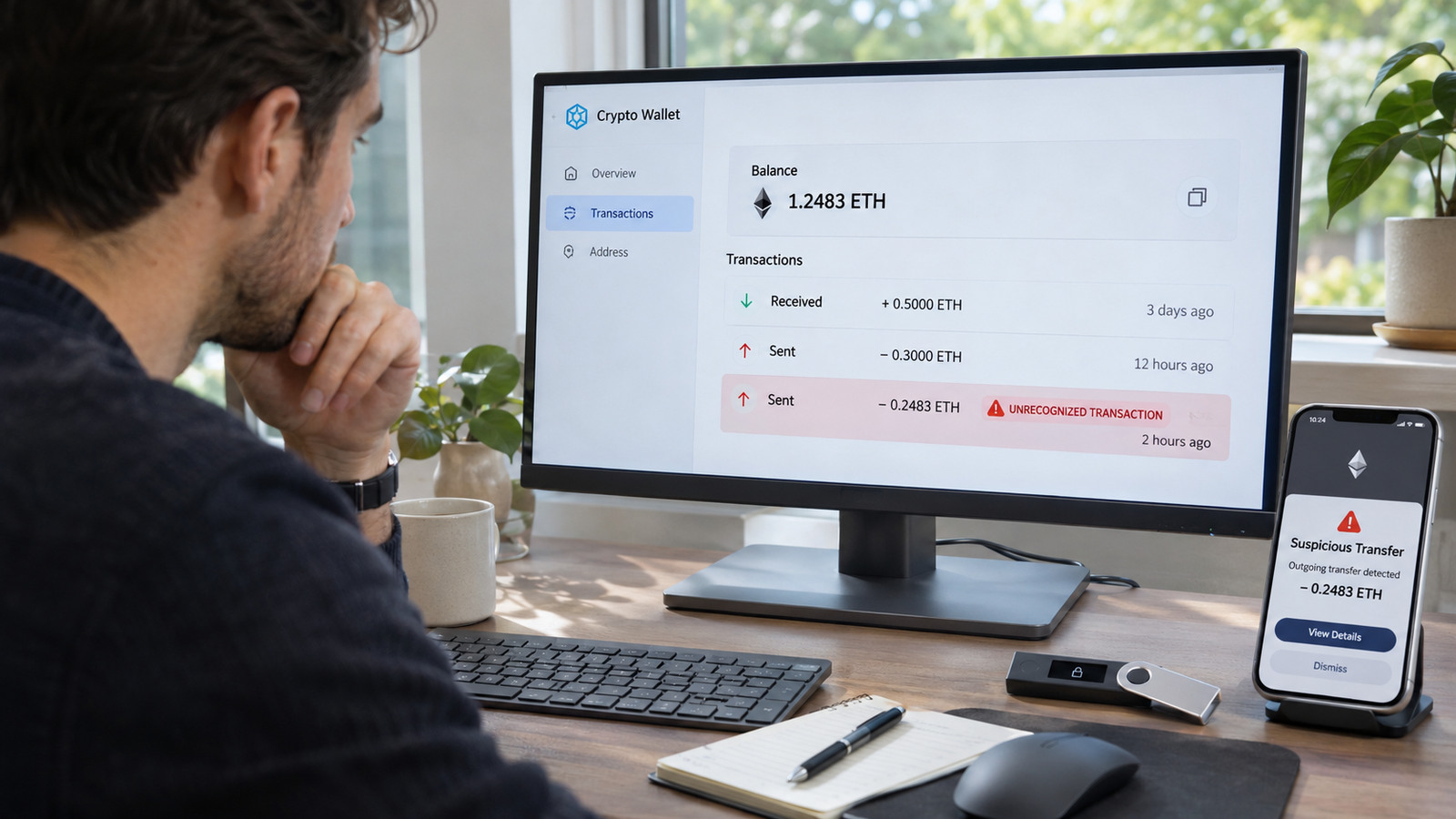
An unexpected transfer from your crypto wallet is one of the strongest warning signs of a security breach. But missing tokens, unknown NFTs, or a suspicious wallet notification don’t always mean someone has stolen your private keys.
A malicious smart contract approval can allow an attacker to transfer specific tokens without knowing your seed phrase. A compromised private key is more serious because an attacker may directly control the affected account.
The distinction determines what you should do next.
If your wallet is actively losing funds, stop interacting with suspicious applications and prioritize protecting any remaining assets. If the seed phrase may be exposed, create a completely new wallet on a trusted device rather than trying to repair the old one.
This guide explains how to tell if a crypto wallet is compromised, investigate suspicious transactions, identify dangerous permissions, and respond without making the situation worse.
Signs Your Crypto Wallet May Be Compromised
Wallet compromises leave different traces depending on how the attacker gained access.
Some attacks result in immediate unauthorized transactions. Others involve malicious approvals that remain unused until a later date.
Crypto Wallet Compromise Warning Signs
| Warning Sign | Possible Explanation | Risk Level |
|---|---|---|
| Unknown outgoing transaction | Unauthorized transfer or account compromise | Critical |
| Tokens disappear after interacting with a dApp | Malicious approval or signature | Critical |
| Gas tokens repeatedly disappear | Possible automated wallet sweeper | Critical |
| Unexpected unlimited token allowance | Potentially dangerous contract permission | High |
| Unrecognized signature request | Possible phishing attempt | High |
| Unknown NFT appears | Often spam or scam bait | Low by itself |
| Wallet displays an unfamiliar token | Possible unsolicited airdrop | Low by itself |
| Unexpected wallet connection | Possible suspicious website interaction | Requires investigation |
The presence of an unfamiliar token or NFT is not sufficient evidence that your wallet has been hacked.
Public blockchain addresses can receive unsolicited assets without their owners approving the transfer.
The more important question is whether an outgoing transaction or authorization occurred without your knowledge.
1. Check Your Wallet for Unauthorized Transactions
The first investigation step is reviewing the blockchain transaction history.
Your wallet application may display recent activity, but a block explorer provides a more complete on-chain record.
For Ethereum, use Etherscan. For BNB Smart Chain, use BscScan. Other networks have their own explorers.
How to Investigate Suspicious Wallet Transactions
- Copy your public wallet address.
- Open the appropriate blockchain explorer.
- Search for the address.
- Review outgoing transactions and token transfers.
- Compare dates, destination addresses, and amounts with your own activity.
Look for transfers you didn’t initiate, especially those sending valuable assets to unfamiliar addresses.
Also examine the transaction method.
An outgoing transaction signed directly by your account can indicate unauthorized key use, although further investigation is needed.
A token transfer executed through transferFrom may instead involve an existing smart contract allowance.
Example: Suspicious Ethereum Wallet Activity
| Activity | Potential Meaning |
|---|---|
| 500 USDT transferred to unknown address | Possible unauthorized movement |
approve transaction to unknown contract | Potential malicious allowance |
transferFrom executed by a third party | Existing allowance may have been used |
| Unknown NFT received | Possible spam or phishing bait |
| ETH repeatedly transferred after deposits | Possible private-key compromise or sweeper |
One unexplained transaction doesn’t identify the full attack mechanism.
Review the transaction sender, contract interactions, token approval history, and affected assets before determining whether the wallet’s signing keys were compromised.
2. Check for Malicious Token Approvals
Token approvals are a common source of DeFi wallet theft.
An approval allows a smart contract or designated spender to transfer certain tokens on your behalf, within the permitted allowance.
For example, a decentralized exchange may request permission to spend up to 1,000 USDT when processing a swap.
Some applications request unlimited allowances to avoid repeated approvals.
That convenience creates additional exposure if the spender is malicious or vulnerable.
How to Check Token Allowances
You can inspect ERC-20 permissions through verified blockchain explorers or tools such as Revoke.cash.
The typical process is:
- Open the official approval checker.
- Connect your wallet if required, or inspect permissions using your public address where supported.
- Review token allowances and approved spender addresses.
- Identify unfamiliar or unnecessary contracts.
- Revoke the permissions you no longer trust.
Revoking an approval normally requires an on-chain transaction and gas fees.
For ERC-20 tokens, revocation commonly sets the spender’s allowance to zero.
If a malicious spender is actively draining funds, every delay matters.
However, approvals are network-specific. Checking Ethereum does not automatically reveal approvals on Arbitrum, Polygon, or BNB Smart Chain.
3. Seed Phrase Compromise vs Malicious Approval
Understanding the difference between these two attack types is essential.
A seed phrase, also called a recovery phrase, can restore the wallet’s associated accounts and grant control over their private keys.
If an attacker obtains it, they may be able to transfer assets without any further approval from the owner.
A malicious token approval is different.
It generally gives a particular spender access to specified tokens or assets, rather than revealing the wallet’s private keys.
Seed Phrase Theft vs Token Approval Exploit
| Feature | Seed Phrase Compromise | Malicious Approval |
|---|---|---|
| Attacker knows wallet keys | Potentially yes | Not required |
| Can directly transfer native coins | Yes | Not through an ordinary ERC-20 allowance |
| May affect multiple derived accounts | Yes | Usually limited to approved accounts/assets |
| Can drain approved tokens | Yes | Yes |
| Revoking approvals solves the root problem | No | Often, for the affected allowance |
| New wallet required | Yes | Not always |
Suppose a user approves a malicious contract to spend unlimited USDT.
The attacker may drain the approved USDT without obtaining the seed phrase.
Revoking that allowance can prevent further spending through that particular permission.
But if the attacker has the seed phrase, revoking approvals won’t stop them from signing new transactions.
In that situation, the existing wallet and every affected account derived from the exposed phrase should be treated as unsafe.
4. Dangerous Signatures Can Also Put Assets at Risk
Not every malicious wallet interaction involves an ordinary approval transaction.
Some phishing attacks use off-chain signatures.
A website may ask a user to sign a message that appears harmless but actually authorizes a token operation through a mechanism such as Permit or Permit2.
These signatures can sometimes be submitted later, meaning funds don’t necessarily disappear immediately.
NFT marketplace signatures can create similar risks.
Approvals vs Signatures
| Interaction | Main Risk |
|---|---|
| Ordinary wallet connection | Usually limited to connection-related permissions |
| ERC-20 approval | Grants a spender token transfer allowance |
| NFT operator approval | Can authorize transfers of specified NFT assets |
| Permit / Permit2 signature | May authorize token spending without a separate approval transaction |
| Direct transfer signature | Authorizes the specified transaction |
If you suspect a malicious signature, examine the relevant permissions and available cancellation methods.
Revoking associated allowances may neutralize some attacks, but not every signature can be canceled using the same procedure.
For high-value holdings or uncertain exposure, transferring assets to a newly generated wallet may be the safer response.
Crypto Wallet Hacked: What to Do Immediately
If unauthorized transactions are occurring, the priority is protecting any remaining funds.
The correct response depends on whether the attack involves contract permissions, a compromised key, or an infected device.
Emergency Wallet Security Checklist
| Step | Action | Purpose |
|---|---|---|
| 1 | Stop interacting with suspicious websites | Prevent additional approvals |
| 2 | Inspect on-chain transfers | Identify affected assets |
| 3 | Check active token allowances | Find possible spender permissions |
| 4 | Revoke dangerous approvals if keys remain secure | Restrict contract access |
| 5 | Create a fresh wallet on a trusted device if keys may be exposed | Establish new keys |
| 6 | Transfer remaining recoverable assets | Move funds away from compromised access |
| 7 | Preserve transaction hashes and evidence | Support investigation |
Avoid entering your seed phrase into websites claiming to perform security scans.
A legitimate block explorer or token approval checker doesn’t need your recovery phrase.
What if a Wallet Sweeper Is Active?
A wallet sweeper is automated software that monitors an address and quickly transfers available assets.
Some attackers configure sweepers to detect newly deposited ETH or other gas tokens.
If this is happening, adding more cryptocurrency to the compromised address may simply provide the attacker with additional funds.
Normal transfers can become difficult because the attacker may act before you can complete them.
Do not repeatedly deposit gas tokens hoping to outrun the bot.
Specialized private transaction procedures may sometimes help recover remaining tokens, but they require careful handling and are not guaranteed to work.
How to Move Funds to a New Safe Wallet
If a seed phrase or private key may be exposed, the old wallet should not be trusted again.
Create a new wallet with a fresh recovery phrase, preferably on a separate trusted device or using a reputable hardware wallet.
Do not restore the compromised seed phrase into the new wallet and assume that changing its password will solve the problem.
A wallet password protects local application access; it does not invalidate an exposed private key.
Once the new wallet is ready, verify its receiving address and transfer remaining accessible assets.
Remember that different blockchains require different native gas tokens for transactions.
Check all affected accounts and supported networks, including tokens, NFTs, and DeFi positions.
After moving the assets, discontinue use of the compromised addresses.
If malware may be present on the original computer, secure or rebuild the affected environment before managing the new wallet from it.
Can You Recover Crypto Stolen From a Wallet?
Blockchain transactions are generally irreversible once confirmed.
If stolen cryptocurrency has already been transferred, there is usually no mechanism for a wallet provider to cancel the transaction.
In some cases, stolen funds move through centralized exchanges that may be able to investigate or restrict accounts under applicable legal procedures.
However, recovery is uncertain.
Preserve relevant information, including:
- Transaction hashes.
- Receiving addresses.
- Dates and amounts.
- Screenshots of suspicious websites.
- Associated wallet signatures or approvals.
- Support ticket records.
Report the incident through the appropriate exchange, wallet provider, or law enforcement channels.
Be especially cautious of recovery services promising guaranteed refunds.
Scammers often target people who have already suffered cryptocurrency theft.
How to Check if Your Crypto Wallet Is Safe
A wallet security review should examine both your signing keys and the permissions attached to your accounts.
Start with the blockchain transaction history.
Confirm that outgoing transfers match activity you intentionally authorized.
Then inspect active token allowances on every network you regularly use.
Review browser wallet extensions and connected applications, particularly those installed recently.
Check that your recovery phrase has never been entered into an unknown website, shared through messaging applications, or stored insecurely.
If you use a hardware wallet, verify transactions on the physical device rather than trusting only the computer screen.
A hardware wallet reduces certain private-key theft risks, but it cannot protect against every malicious transaction that its owner approves.
Wallet Security Review
| Security Check | Healthy Condition |
|---|---|
| Outgoing transactions | All recognized and authorized |
| Token allowances | Known spenders with appropriate limits |
| Recovery phrase | Stored privately and securely |
| Wallet software | Obtained from official distribution channels |
| Connected applications | Recognized and still needed |
| Device security | No known malware or unauthorized access |
| Transaction signing | Destination and permissions carefully checked |
Passing these checks reduces known exposure, but it cannot guarantee that a wallet is completely safe.
How to Prevent Future Wallet Compromises
Separating everyday DeFi activity from long-term asset storage is one of the simplest ways to reduce risk.
Keep larger holdings in a wallet that rarely interacts with smart contracts.
Use a separate wallet for experimental applications, token launches, and unfamiliar protocols.
When possible, limit token allowances rather than automatically granting unlimited spending permission.
Review existing approvals periodically.
Avoid signing transactions or messages that you don’t understand.
Never share your recovery phrase, even with someone claiming to represent MetaMask, Ledger, Trust Wallet, or a cryptocurrency exchange.
For valuable holdings, consider hardware-wallet protection and maintain offline backups of recovery information.
These practices cannot eliminate every vulnerability, but they can limit the damage caused by one malicious interaction.
Frequently Asked Questions
How do I know if my crypto wallet has been hacked?
Unexpected outgoing transactions, unauthorized token transfers, and repeated unexplained losses are strong warning signs. Inspect the blockchain transaction history and active permissions to identify the cause.
Can a wallet be compromised without exposing its seed phrase?
Yes. Malicious token approvals and certain signatures can permit unauthorized asset transfers without revealing private keys.
Can someone steal crypto just by knowing my wallet address?
Not through ordinary address knowledge alone. Public addresses are designed to be shared. Theft generally requires valid authorization, compromised keys, exploitable permissions, or another vulnerability.
Does disconnecting a wallet remove token approvals?
No. Disconnecting a website does not automatically revoke on-chain allowances. Existing approvals must be managed separately.
Should I revoke all token approvals after a suspicious transaction?
Revoke permissions you don’t recognize or trust. However, if private keys are compromised, revocation alone is insufficient.
Is a wallet safe after changing its password?
Not necessarily. A new application password does not invalidate a stolen seed phrase or private key.
Can a hardware wallet prevent all crypto theft?
No. Hardware wallets help secure private keys, but users can still authorize malicious transactions or contract approvals.
What should I do if my seed phrase was stolen?
Create a new wallet with a fresh recovery phrase on a trusted device, transfer any remaining recoverable assets, and stop using the compromised wallet.
Are random NFTs or unknown tokens evidence of a hacked wallet?
Not by themselves. Anyone can send assets to a public address. Avoid interacting with suspicious tokens, links, or unsolicited NFT offers.