
You send 500 USDC to an Ethereum wallet. Your exchange says the withdrawal is complete, but the receiving wallet still shows nothing. Did the transaction fail, is it waiting for confirmation, or is the wallet simply not displaying the token?
Etherscan can help answer these questions.
Etherscan is a public Ethereum blockchain explorer that lets anyone inspect transactions, wallet addresses, ERC-20 tokens, smart contracts, gas fees, and on-chain activity.
You don’t need to create an account or connect a wallet to search its public records.
This Etherscan tutorial explains how to verify Ethereum transactions, read wallet activity, identify token transfers, and troubleshoot missing funds.
What Is Etherscan and What Can You Track?
Etherscan displays information recorded on Ethereum, making blockchain data easier to interpret.
Its main functions include transaction lookup, wallet tracking, token verification, and smart contract inspection.
Etherscan Features Explained
| Feature | What You Can Check |
|---|---|
| Transaction search | Status, sender, recipient and gas fee |
| Wallet lookup | ETH balance and transaction history |
| ERC-20 token tracking | USDC, USDT and other token transfers |
| Internal transactions | ETH movements triggered by contracts |
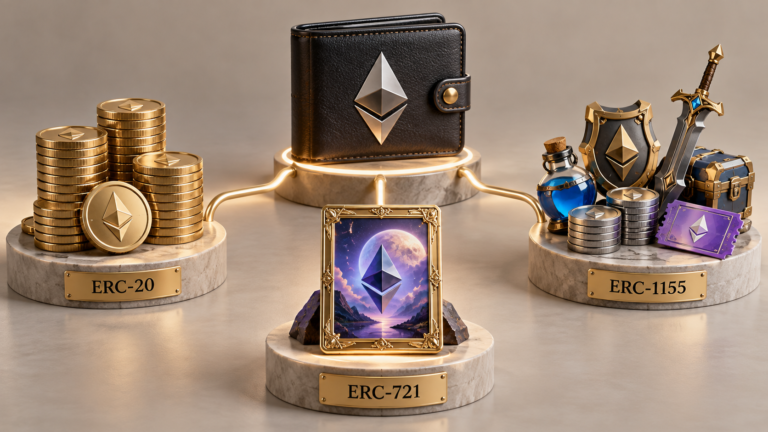
| NFT tracking | ERC-721 and ERC-1155 transfers |
| Contract inspection | Verified code, functions and events |
| Gas analysis | Transaction fees and gas usage |
| Token approvals | Contract spending permissions |
Etherscan is primarily a blockchain data viewer. It doesn’t control transactions, recover private keys, or reverse completed payments.
How to Use Etherscan: Step-by-Step
Start at the official website:
The search bar accepts several types of blockchain identifiers, including Ethereum addresses, transaction hashes, token contract addresses, and block numbers.
Step 1: Copy Your Transaction Hash
A transaction hash, also called a TXID or transaction ID, is a unique 66-character hexadecimal identifier beginning with 0x.
You can usually find it in your wallet’s activity section or in an exchange withdrawal history.
For example, MetaMask users can open a transaction and choose the option to view it in a block explorer.
Copy the full hash rather than a shortened version.
Step 2: Search the Transaction
Paste the transaction hash into the Etherscan search bar.
Press Enter.
Etherscan opens the Transaction Details page, displaying the transaction’s status and relevant blockchain information.
For a real example, open:
https://etherscan.io/tx/0x9ee96dedb2c81648f2eedff6cca88440f2236409eaedc82bc585b3d5e5747594
This is an Ethereum transaction involving the USDC smart contract.
Step 3: Read the Transaction Details
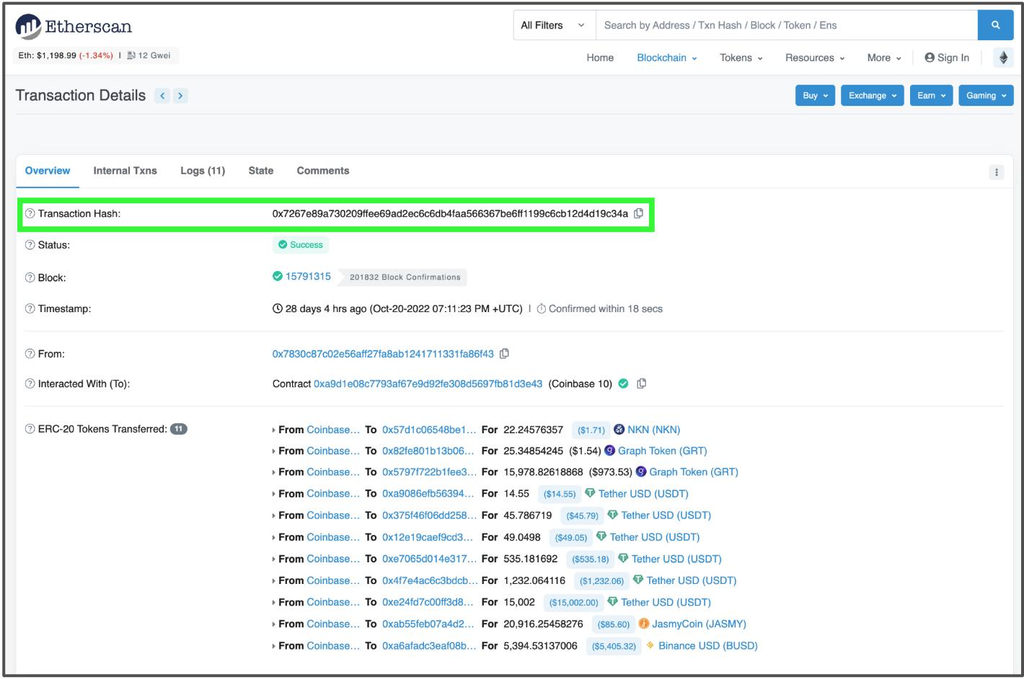
The transaction overview contains several important fields.
| Field | What It Means |
|---|---|
| Transaction Hash | Unique identifier for the transaction |
| Status | Whether execution succeeded or failed |
| Block | Block containing the transaction |
| Timestamp | When the transaction was included |
| From | Address that initiated the transaction |
| To / Interacted With | Recipient or called smart contract |
| Value | Native ETH transferred directly |
| Transaction Fee | ETH spent on gas |
| Gas Price | Effective gas price paid |
| Gas Used | Amount of gas consumed |
For a normal ETH transfer, the Value field usually shows the transferred ETH amount.
For ERC-20 transactions, Value may show 0 ETH even when thousands of dollars in tokens moved.
The actual token movement appears in the token transfer information.
How to Check Ethereum Transaction Status
The Status field is usually the first thing to examine.
Ethereum Transaction Status Guide
| Status | Meaning | What to Do |
|---|---|---|
| Pending | Not yet included in a block | Monitor fees and transaction status |
| Success | Executed successfully | Verify destination and asset movement |
| Failed | Execution reverted | Inspect error details and gas |
| Dropped | No longer tracked by the relevant mempool | Check nonce and possible replacement |
| Replaced | Another transaction used the same nonce | Examine the replacement transaction |
A successful transaction means Ethereum executed it successfully.
It does not necessarily mean a centralized exchange has credited your account.
Exchanges may require additional confirmations or internal processing before displaying deposits.
How Many Confirmations Are Enough?
Ethereum has approximately 12-second slots, but confirmation and finality are different concepts.
One confirmation generally means the transaction has been included in a block.
Additional blocks build on that transaction’s block.
Ethereum’s proof-of-stake finality process provides stronger settlement assurance, typically within approximately 13–19 minutes under normal network conditions.
Exchanges set their own deposit confirmation requirements, which may differ from Ethereum finality.
For larger transfers, check the receiving platform’s specific requirements rather than assuming one confirmation is sufficient.
How to Track an Ethereum Wallet Address
You can also use Etherscan as an Ethereum wallet tracker.
Step 1: Enter a Wallet Address
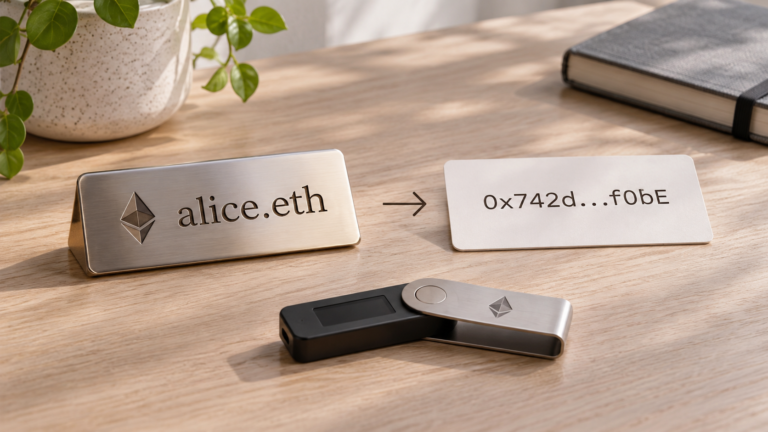
Copy a public Ethereum address beginning with 0x.
Paste it into Etherscan’s search bar.
A standard Ethereum address contains 40 hexadecimal characters after the 0x prefix.
Step 2: Check the Wallet Balance
The address page generally displays:
- ETH Balance
- ETH Value
- Token Holdings
- Transaction history
- Other available account information
The ETH balance represents native ETH held by the address on Ethereum mainnet.
Token holdings are listed separately.
A wallet containing 0.1 ETH and 5,000 USDC does not have an ETH balance equal to the combined dollar value of those assets.
Step 3: Inspect Wallet Transactions
Scroll to the transaction-history tabs.
These separate different categories of activity.
| Tab | What It Shows |
|---|---|
| Transactions | Standard Ethereum transactions |
| Internal Transactions | ETH movements executed through contract calls |
| Token Transfers (ERC-20) | Fungible token movements |
| NFT Transfers | NFT activity, sometimes separated by standard |
| Other available tabs | Additional contract or account activity |
You can open individual transaction hashes for more detail.
A wallet’s public history can reveal incoming payments, outgoing transfers, DeFi interactions, and activity involving known exchange addresses.
However, Etherscan cannot reliably determine the real-world owner of an unlabeled address.
How to Find USDT, USDC, and Other Token Transfers

One of the most common mistakes when reading Etherscan is checking only the normal Transactions tab.
ERC-20 tokens operate through smart contracts.
Sending USDC typically calls a token contract, which updates balances and emits transfer events.
Step-by-Step Token Lookup
- Open the Ethereum address page.
- Select Token Transfers (ERC-20).
- Find the relevant token and timestamp.
- Check the From and To addresses.
- Open the transaction hash to inspect execution details.
For example, a 500 USDC payment may show:
- Transaction Value: 0 ETH
- ERC-20 Token Transfer: 500 USDC
- Status: Success
- Transaction Fee: Paid in ETH
The 0 ETH Value doesn’t mean the transaction transferred nothing.
It means no native ETH was transferred through that particular transaction value field.
Verify the Token Contract
Fake tokens can copy familiar names and symbols.
A token labeled USDT isn’t automatically genuine Tether.
Always verify the contract address against the project’s official documentation.
For Ethereum mainnet, the established USDC contract address is:
0xA0b86991c6218b36c1d19D4a2e9Eb0cE3606eB48
Its contract page is:
https://etherscan.io/token/0xA0b86991c6218b36c1d19D4a2e9Eb0cE3606eB48
The contract address is more reliable for token identification than its name or logo.
What Are Internal Transactions on Etherscan?
Internal transactions are ETH movements or contract interactions that occur during the execution of another Ethereum transaction.
They aren’t separate top-level transactions independently submitted to Ethereum.
Instead, Etherscan derives them from execution traces.
For example, a user interacts with a DeFi contract that subsequently sends ETH to another address.
The original transaction appears under Transactions.
The ETH movement triggered by the contract may appear under Internal Transactions.
Normal vs Internal vs Token Transfers
| Activity | Where to Look |
|---|---|
| Wallet sends ETH directly | Transactions |
| Contract sends ETH during execution | Internal Transactions |
| Wallet transfers USDC | Token Transfers (ERC-20) |
| DeFi swap distributes multiple assets | Transaction details and token transfers |
| NFT transfer | NFT Transfers |
Internal ETH movements and ERC-20 transfers shouldn’t be confused.
An internal transaction reflects a traced execution operation, while an ERC-20 transfer normally comes from a token contract’s event logs.
A single successful transaction may contain several movements of different assets.
How to Read Smart Contract Interactions
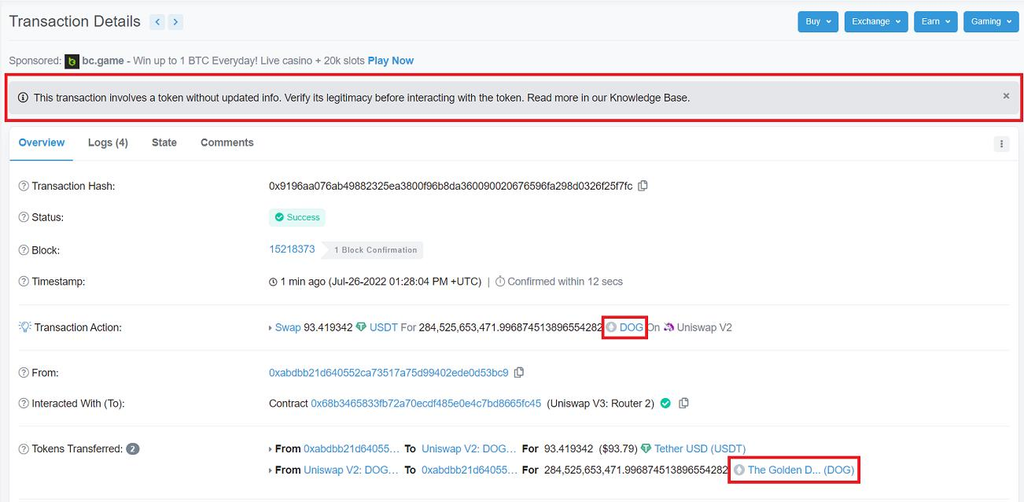
Not every Ethereum transaction is a simple payment.
When users interact with Uniswap, Aave, lending vaults, or NFT marketplaces, their wallets often call smart contracts.
Etherscan may identify the action as:
- Transfer
- Approve
- Swap
- Deposit
- Withdraw
- Execute
These labels depend on whether Etherscan can decode the function or transaction activity.
Understanding Contract Interaction Fields
| Field | Explanation |
|---|---|
| Interacted With | Smart contract receiving the call |
| Method / Function | Contract function invoked |
| Input Data | Encoded arguments sent to the contract |
| Logs | Events emitted during execution |
| Token Transfers | Asset movements recorded by token events |
| Contract | Contract code and available read/write interfaces |
For a decentralized exchange swap, the transaction may call a router contract rather than sending tokens directly to the final receiving wallet.
Inspect the token transfers to understand which assets left the wallet and which were received.
Beware of Token Approvals
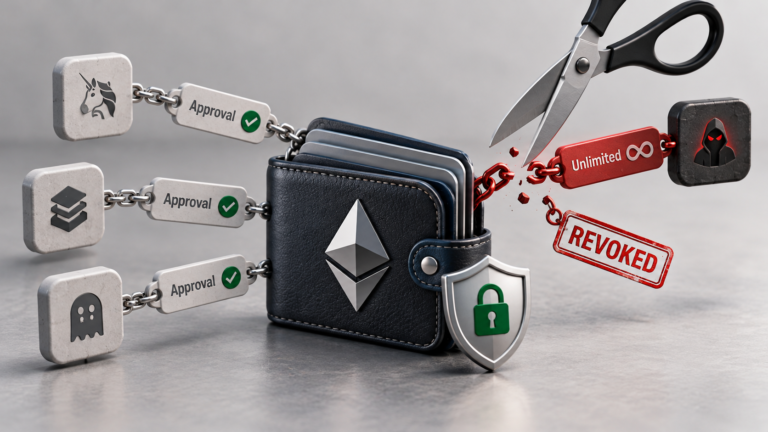
A successful approval transaction grants a contract permission to spend tokens within the approved allowance.
It doesn’t necessarily mean tokens were transferred immediately.
Before approving an unfamiliar contract, verify its address and understand the spending permission.
If an approval looks suspicious, review and revoke unnecessary allowances using a reputable approval-management tool.
How Much Does an Ethereum Transaction Cost?
Ethereum transaction fees depend on gas consumed and the effective gas price.
The basic formula is:
Transaction Fee = Gas Used × Effective Gas Price
Suppose a transaction uses 65,000 gas at an effective price of 3 gwei.
65,000 × 3 = 195,000 gwei.
Since 1 ETH equals 1 billion gwei:
Transaction Fee = 0.000195 ETH.
Ethereum Gas Fee Examples
| Gas Used | Effective Gas Price | Total Fee |
|---|---|---|
| 21,000 | 2 gwei | 0.000042 ETH |
| 21,000 | 5 gwei | 0.000105 ETH |
| 65,000 | 3 gwei | 0.000195 ETH |
| 100,000 | 5 gwei | 0.000500 ETH |
Illustrative calculations, not live Ethereum gas quotes.
An ordinary ETH transfer between externally owned accounts typically uses 21,000 gas.
Token transfers and complex smart contract operations generally consume more.
A failed transaction can still incur gas fees because the network consumed computational resources while attempting execution.
Etherscan Troubleshooting: Transaction Missing or Funds Not Received
If a transaction doesn’t appear where expected, check the following possibilities.
Common Etherscan Problems
| Problem | Possible Cause | What to Check |
|---|---|---|
| Hash not found | Wrong network or incorrect TXID | Network and complete hash |
| Transaction pending | Network congestion or insufficient fee | Pending status and fee settings |
| Success but wallet shows nothing | Token not displayed | Token contract and recipient |
| Success but exchange hasn’t credited funds | Deposit processing or confirmations | Exchange deposit requirements |
| Transaction failed | Contract execution reverted | Error message and gas usage |
| Token balance looks incorrect | Wrong contract or network | Token address and chain |
| Unexpected wallet transaction | Contract interaction or unauthorized activity | Method, approvals and transfers |
Etherscan primarily displays Ethereum mainnet activity.
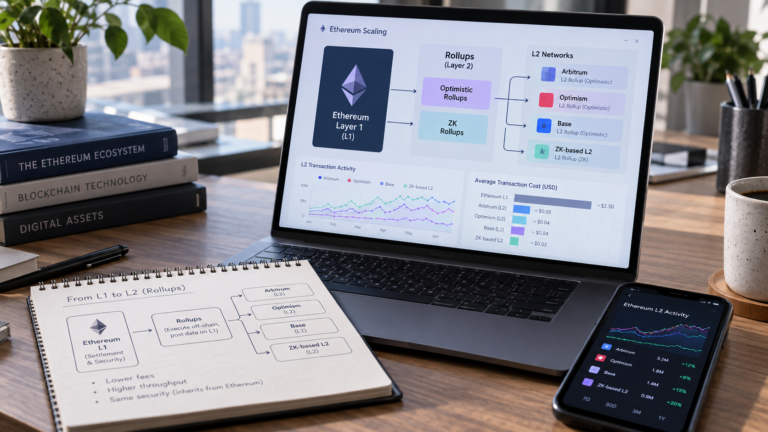
If a transaction occurred on Base, Arbitrum, or another blockchain, use the appropriate network explorer.
A transaction can be successful on the wrong network and still fail to appear in the intended exchange account.
Similarly, if an exchange withdrawal is marked completed but no matching on-chain transaction exists, contact the exchange with the withdrawal record and request the correct network transaction hash.
Is Etherscan Safe to Use?
Searching addresses and transaction hashes on Etherscan is generally safe because these are public blockchain records.
You don’t need to connect your wallet to view transactions.
However, some advanced contract features involve wallet interaction and signing transactions.
Be careful when using Write Contract, token approval, or other transaction-submission features.
Never enter a seed phrase or private key into Etherscan or a website claiming to offer transaction recovery.
Also avoid interacting with unfamiliar tokens sent to your wallet. Scam tokens and spam transfers can contain misleading names or links.
Etherscan helps inspect blockchain activity, but users remain responsible for verifying what they sign.
Frequently Asked Questions
Is Etherscan free to use?
Yes. Basic transaction searches, wallet lookups, token tracking, and contract inspection are available without payment.
How do I check an ETH transaction hash?
Copy the full transaction hash from your wallet or exchange, paste it into etherscan.io, and open the Transaction Details page.
Can Etherscan track any Ethereum wallet?
Etherscan can display publicly recorded Ethereum mainnet activity for wallet addresses, although some off-chain exchange activity and transactions on other networks won’t appear.
Why does Etherscan show Success but my wallet has no tokens?
Possible reasons include a hidden token balance, an incorrect network, a different receiving address, or delays in exchange crediting.
Can Etherscan reverse a transaction?
No. Etherscan is a blockchain explorer and cannot reverse or recover completed Ethereum transactions.
What is the difference between internal transactions and token transfers?
Internal transactions describe execution-level movements, often involving ETH sent by contracts. ERC-20 token transfers are recorded through token contract events.
Can I view someone else’s wallet transactions?
Yes. Ethereum blockchain records are public, so anyone can inspect address balances and on-chain transaction history. This does not grant access to the wallet’s funds.